Our new house is situated right between two major airports and one smaller airport to the north. We are on the departure path and nearly every plane leaving internationally takes off right above our heads. This gave me an idea – would I be able to automatically determine what plane is flying over the house at any given time? The answer is of course, yes.
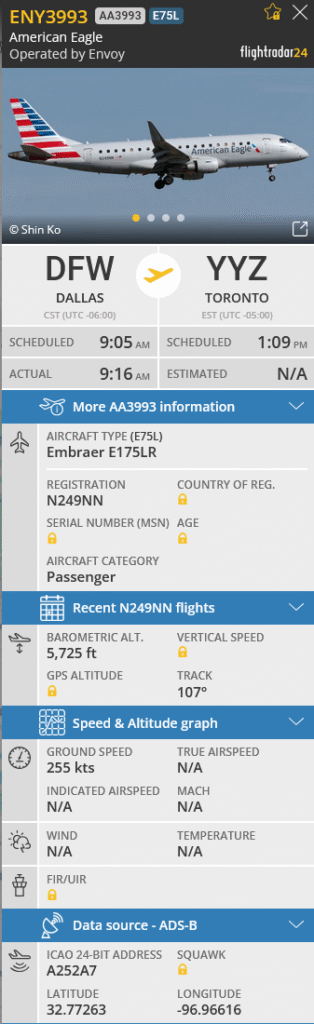
Air traffic data is public, and Flightradar24 is a super cool website that visualizes and tracks all ADS-B data coming from the planes. Much of this data is open- and crowd- sourced by people like me, using ADS-B receivers on their servers to keep a constant poll of things like a plane’s speed, altitude, and even it’s last known picture.
A github user has created a HomeAssistant integration that allows for Flightradar24’s API data to be pulled into dashboards!
To make the automation work the way I wanted, I configured the HomeAssistant integration to only track planes within a radius of 2650 meters of our location. I played with this value a lot, and found that planes within this range can be heard and seen from the backyard.
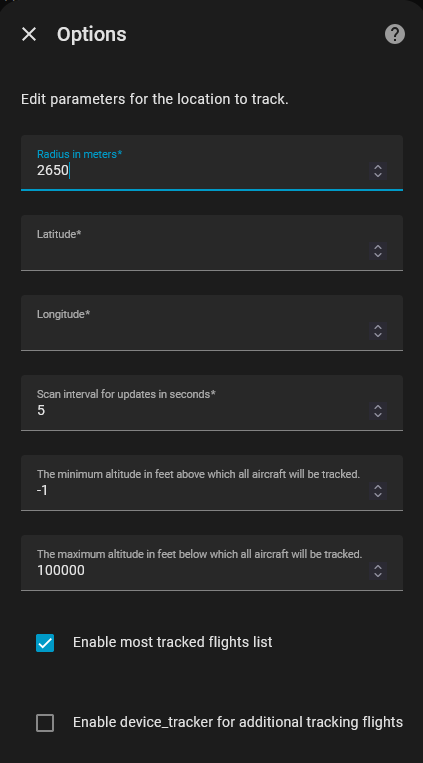
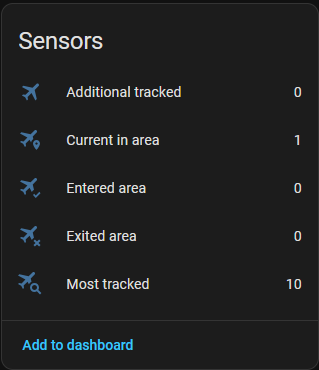
The integration installs 5 sensors by default, each running off the radius, latitude and longitude defined in the Options. Now it picks up when a flight is in our area!
This is where the magic happens. The integration triggers an API call to Flightradar24 when Current In Area > 0. The API returns all the flight data neatly packaged back to HomeAssistant states:
state_class: total
flights:
  - id: 3d2b86dc
    flight_number: AA1672
    callsign: AAL1672
    aircraft_registration: N146AA
    aircraft_photo_small: https://cdn.jetphotos.com/200/6/664487_1744462448_tb.jpg?v=0
    aircraft_photo_medium: https://cdn.jetphotos.com/400/6/664487_1744462448.jpg?v=0
    aircraft_photo_large: https://cdn.jetphotos.com/640cb/6/664487_1744462448.jpg?v=0
    aircraft_model: Airbus A321-231
    aircraft_code: A321
    airline: American Airlines
    airline_short: American Airlines
    airline_iata: AA
    airline_icao: AAL
    airport_origin_name: Dallas Fort Worth International Airport
    airport_origin_code_iata: DFW
    airport_origin_code_icao: KDFW
    airport_origin_country_name: United States
    airport_origin_country_code: US
    airport_origin_city: Dallas
    airport_origin_timezone_offset: -21600
    airport_origin_timezone_abbr: CST
    airport_origin_terminal: C
    airport_origin_latitude: 32.89682
    airport_origin_longitude: -97.037903
    airport_destination_name: Orlando International Airport
    airport_destination_code_iata: MCO
    airport_destination_code_icao: KMCO
    airport_destination_country_name: United States
    airport_destination_country_code: US
    airport_destination_city: Orlando
    airport_destination_timezone_offset: -18000
    airport_destination_timezone_abbr: EST
    airport_destination_terminal: B
    airport_destination_latitude: 28.42939
    airport_destination_longitude: -81.308899
    time_scheduled_departure: 1763564700
    time_scheduled_arrival: 1763573820
    time_real_departure: null
    time_real_arrival: null
    time_estimated_departure: 1763566500
    time_estimated_arrival: null
    latitude: 32.8436
    longitude: -97.0302
    altitude: 2350
    heading: 180
    ground_speed: 207
    squawk: ""
    vertical_speed: 1152
    distance: 3.1475550835048787
    on_ground: 0
    tracked_by_device: FlightRadar24
last_updated: "2025-11-19T09:32:08.985055"
icon: mdi:airplane-marker
friendly_name: FlightRadar24 Current in areaNow that HomeAssistant has this data, it can be used in dashboards to display in cards. I have these cards set to only display when Current In Area > 0 (aka when a plane is within 2650 meters):
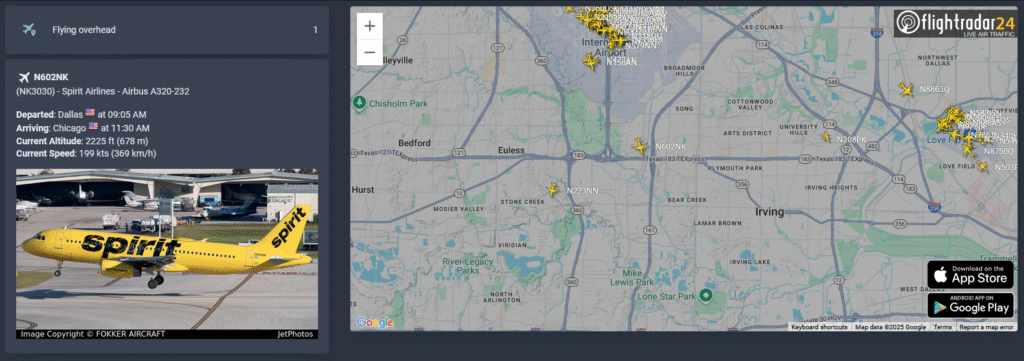
Here is what it looks like under the hood:
type: vertical-stack
cards:
  - type: entities              # This card shows how many are "Flying overhead"
    entities:
      - entity: sensor.flightradar24_current_in_area
        name: Flying overhead
  - type: conditional
    conditions:                  # When Current In Area > 0
      - condition: numeric_state
        entity: sensor.flightradar24_current_in_area
        above: 0
    card:                        # This card pulls information from the API
      type: markdown             # and displays it with formatting
      content: >-
        {% set data = state_attr('sensor.flightradar24_current_in_area',
        'flights') %} {% if data %}
          {% for flight in data %}
          <ha-icon icon="mdi:airplane"></ha-icon> **{{ flight.aircraft_registration }}**
          ({{ flight.flight_number }}) - {{ flight.airline_short }} - {{ flight.aircraft_model }}

          **Departed**: {{ flight.airport_origin_city }} {% if flight.airport_origin_country_code %}<img src="https://flagsapi.com/{{ flight.airport_origin_country_code }}/shiny/16.png" title="{{ flight.airport_origin_country_name }}"/>{% endif %} at {{ flight.time_scheduled_departure | int | timestamp_custom('%I:%M %p', True) }}
          **Arriving**:  {{ flight.airport_destination_city }} {% if flight.airport_destination_country_code %}<img src="https://flagsapi.com/{{ flight.airport_destination_country_code }}/shiny/16.png" title="{{ flight.airport_destination_country_name }}"/>{% endif %} at {{ flight.time_scheduled_arrival | int | timestamp_custom('%I:%M %p', True) }}
          **Current Altitude**: {{ flight.altitude }} ft {% if flight.altitude > 0 %}({{ (flight.altitude * 0.3048) | round(0) }} m){% endif %}
          **Current Speed**: {{ flight.ground_speed }} kts {% if flight.ground_speed > 0 %}({{ (flight.ground_speed * 1.852) | round(0) }} km/h){% endif %}

          {% if flight.aircraft_photo_large %}<img src="{{  flight.aircraft_photo_large }}">{% endif %}
          {% endfor %}
        {% else %}
          No flight data available.
{% endif %}The map is simply an iframe, bookmarked to our house’s latitude and longitude:
type: iframe
url: >-
  https://globe.adsb.fi/?enableLabels&trackLabels&zoom=12&hideSideBar&lat=12.34&lon=56.78
aspect_ratio: 100%
grid_options:
  columns: full
rows: 8Note: as of January 2026, the flighttracker iframe no longer works, so it has been replaced with a globe.adsb.fi URL.
While some of this data is completely useless to most (including myself), it still intrigues me to be able to take away a bunch of random facts from this project:
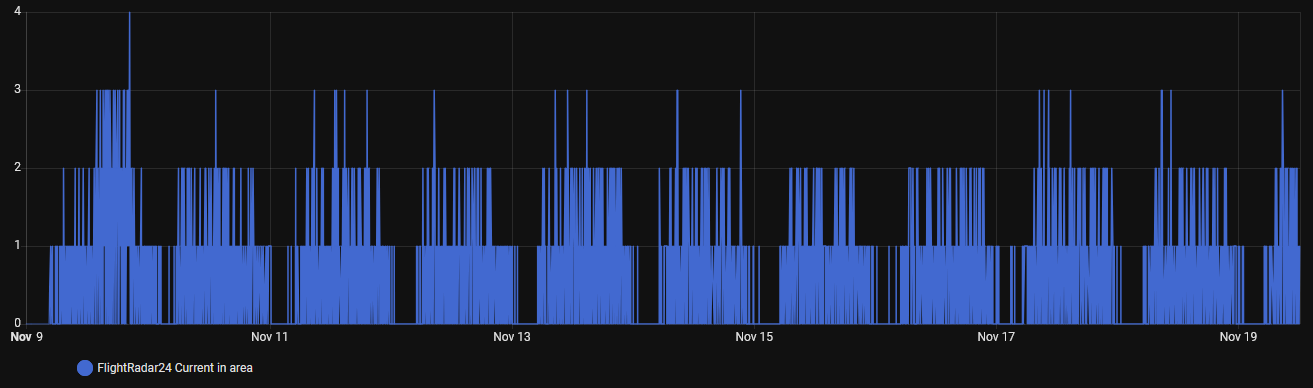
- There are never more than 3 planes over our house at any given time, except for one instance on November 9th when there were 4
- Nearly every helicopter flying during the day is off to rescue someone and take them to a hospital
- Blimps transmit ADS-B data too!
In the future, I plan to grab an ADS-B receiver and supply my own data to Flightradar24. The website has a step-by-step for building a pi receiver, but I think I’m going to opt for a docker container and run it off The Lab.